
Overleafの「Undefined control sequence」は行番号と直前のコマンドを読む
Overleafで「Undefined control sequence」と出る場合、LaTeXが知らないコマンドを読んでいます。main.texの行番号、必要なパッケージ、直近のマクロ変更を順に確認します。
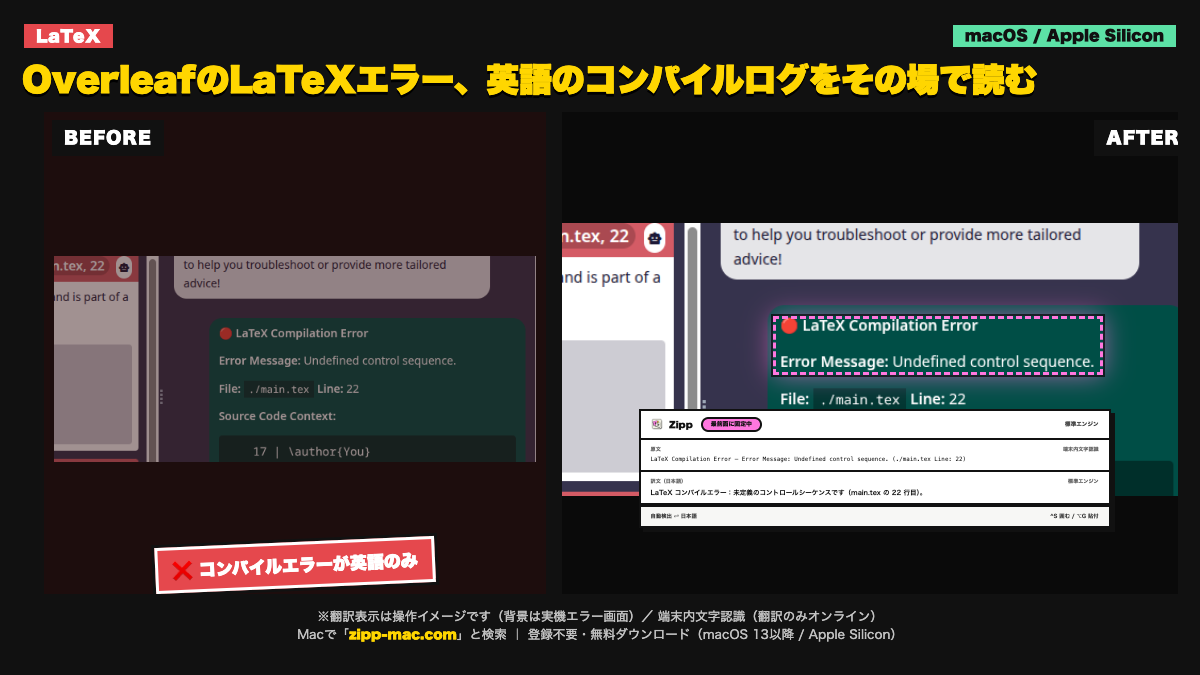
画面に出る英語(原文)
LaTeX Compilation Error
Error Message: Undefined control sequence.
(./main.tex Line: 22)
症状:コンパイルが止まり、ログに英語のエラーが出るが、どのコマンドやパッケージを直せばよいか分からない。
切り分け手順(3ステップ)
- コンパイルログでエラー行の少し前を開き、未定義と表示されたコマンド名と `main.tex` の行番号を対応させる。行番号だけでなく直前の数行も確認する。
- そのコマンドの綴り、先頭のバックスラッシュ、必要な `\usepackage{...}` またはマクロ定義がプリアンブルにあるかを確認する。
- 直近に追加したマクロやパッケージを一時的に外して再コンパイルし、最小の再現箇所を特定する。共有原稿では変更前に履歴またはコピーを残す。
English troubleshooting guide
Symptom: Overleaf stops compiling with an undefined-control-sequence message and the responsible command is unclear.
- Open the log just before the reported line and match the undefined command to the `main.tex` line number. Read several surrounding lines, not only the number.
- Check the command spelling, its leading backslash, and whether the required `\usepackage{...}` statement or macro definition exists in the preamble.
- Temporarily remove the most recent macro or package change and compile again to isolate the smallest reproducer. Keep a history point before changing shared work.
このエラーが「選択できない」ときの読み方
文字認識は端末内(Apple Vision)。画面キャプチャの画像は外部に送信しません。翻訳はオンラインで、送るのは認識したテキストのみです。オフラインでは文字認識のみ動作し、翻訳は表示されません。
動作環境:macOS 13 以降 / Apple Silicon(arm64)専用(Intel Mac は非対応)。初回起動は「右クリック →「開く」」で実行(未公証のため。アプリの破損ではありません)
⬇ 無料でダウンロード(登録不要・.zip)ブラウザで体験する
初回起動 3 ステップ
- ZIP を解凍して
Zipp.appを Applications へ移動 - 右クリック →「開く」 を選択
- 確認画面でも「開く」を選択
SHA-256:66920f0b335fe7526184a6004df09bcb923e77bfc49f436ecfcc3b896dee84bb
macOS 13 以降 / Apple Silicon(arm64)専用 / 日本語固定 UI。Intel Mac は対象外です。